Flutter Spacer 灵活配置你的Row/Column

我们平时在写 Row/Column 的时候,一般会配置一下子widget 的排列方式。

默认排序方式

默认的排列方式有如下:

1
2
3
4
5
6
7
8
9
10
11
12
13
14
15
16
17
18
19
20
enum MainAxisAlignment {

/// 将children放置在主轴的起点
start,

/// 将children放置在主轴的末尾
end,

/// 将children放置在主轴的中心
center,

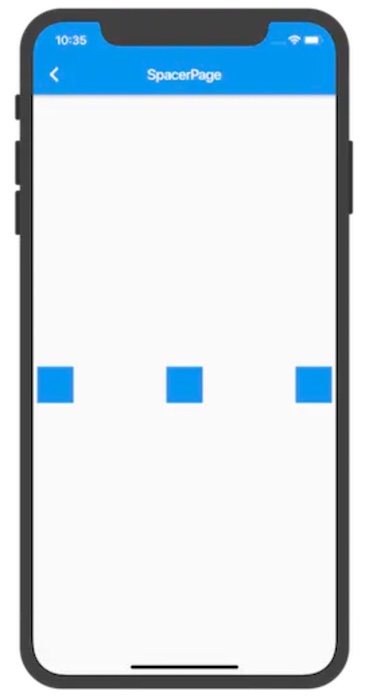
/// 将主轴方向上的空白区域均分,使得children之间的空白区域相等,首尾child都靠近首尾,没有间隙
spaceBetween,

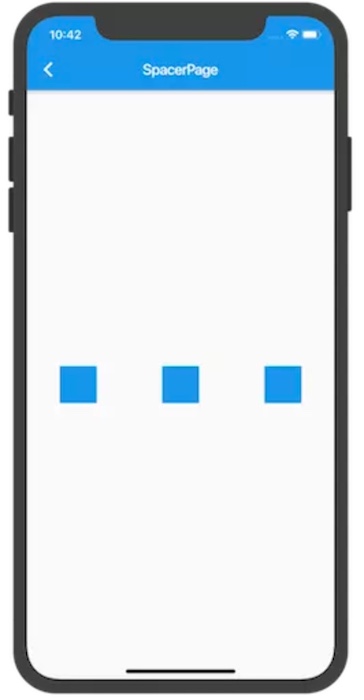
/// 将主轴方向上的空白区域均分,使得children之间的空白区域相等,但是首尾child的空白区域为1/2
spaceAround,

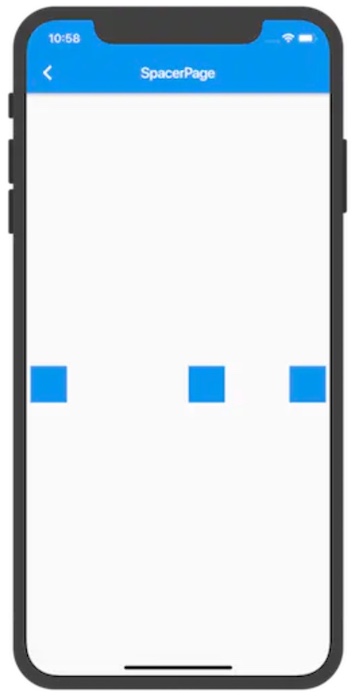
/// 将主轴方向上的空白区域均分,使得children之间的空白区域相等,包括首尾child
spaceEvenly,
}

看图了解一下。

spaceBetween:

spaceAround:

spaceEvenly:
可以看到确实如我们刚才所写的一样。

不规则排序

那如果这个时候我想实现如下效果,该怎么做?
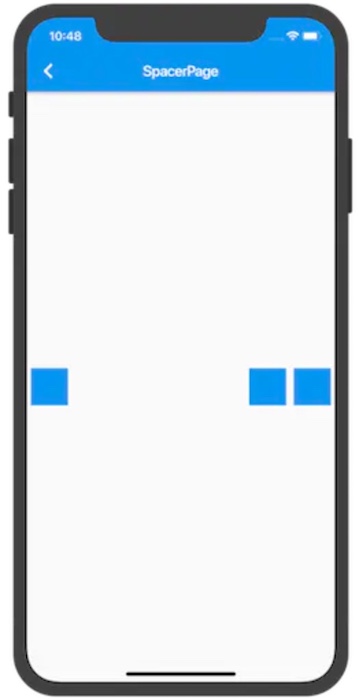
一个小方块在最前面,两个小方块在后面。

这个时候就需要Spacer,那什么是Spacer,按照惯例来看官方文档:

1
2
3
Spacer creates an adjustable, empty spacer that can be used to tune the spacing between widgets in a Flex container, like Row or Column.

Spacer创建一个可调整的空间隔,可用于调整Flex容器(如行或列)中窗口小部件之间的间距。

接下来再看一下该类,确定一下怎么使用:

1
2
3
4
5
6
7
8
9
10
11
12
13
14
15
16
17
18
19
20
21
22
class Spacer extends StatelessWidget {
/// Creates a flexible space to insert into a [Flexible] widget.
///
/// The [flex] parameter may not be null or less than one.
const Spacer({Key key, this.flex = 1})
: assert(flex != null),
assert(flex > 0),
super(key: key);

/// 用于确定占用多少空间的弹性系数。
/// 在放置不灵活的子对象后,根据子对象的弹性系数,将自由空间按比例分割,
/// 从而确定[间隔对象]在主轴中可以占用的空间量。默认为1。
final int flex;

@override
Widget build(BuildContext context) {
return Expanded(
flex: flex,
child: const SizedBox.shrink(),
);
}
}

可以看到,它其实就是包装了一个 Expanded 的 SizedBox 。

知道了原理以后我们就可以灵活控制 Row/Column了。

示例如下:

1
2
3
4
5
6
7
8
9
10
11
12
13
14
15
16
17
18
19
20
21
22
23
24
25
26
27
body: Center(
child: Row(
mainAxisAlignment: MainAxisAlignment.spaceEvenly,
children: <Widget>[
Container(
color: Colors.blue,
margin: EdgeInsets.symmetric(horizontal: 5),
height: 50,
width: 50,
),
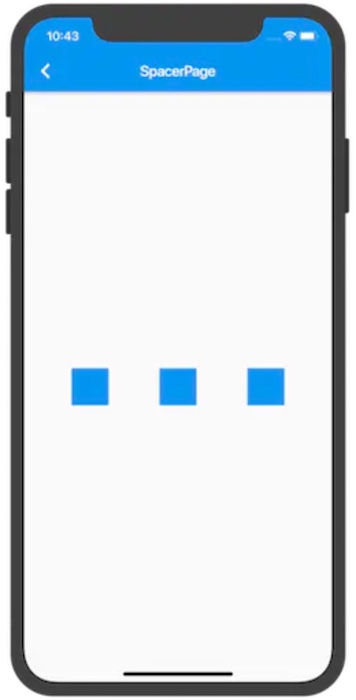
Spacer(flex: 2), // 弹性系数为2
Container(
color: Colors.blue,
height: 50,
margin: EdgeInsets.symmetric(horizontal: 5),
width: 50,
),
Spacer(), // 弹性系数默认为1
Container(
color: Colors.blue,
margin: EdgeInsets.symmetric(horizontal: 5),
height: 50,
width: 50,
),
],
),
)

效果如下:

总结

其实Spacer 就是包装好的 Expanded,但是这样也简化了我们很多的代码。

在 Flutter 中还有很多能简化我们代码的地方。

关注我,每天分享 Flutter & Dart 相关知识。

完整代码已经传至GitHub:https://github.com/wanglu1209/WFlutterDemo